Artists
Add an artist
Create an artist profile and connect their artworks.
Artists in Art Panel are full profiles: biography, portrait, their artworks, exhibitions, and sales history — everything your gallery knows about them in one place.
Create the artist#
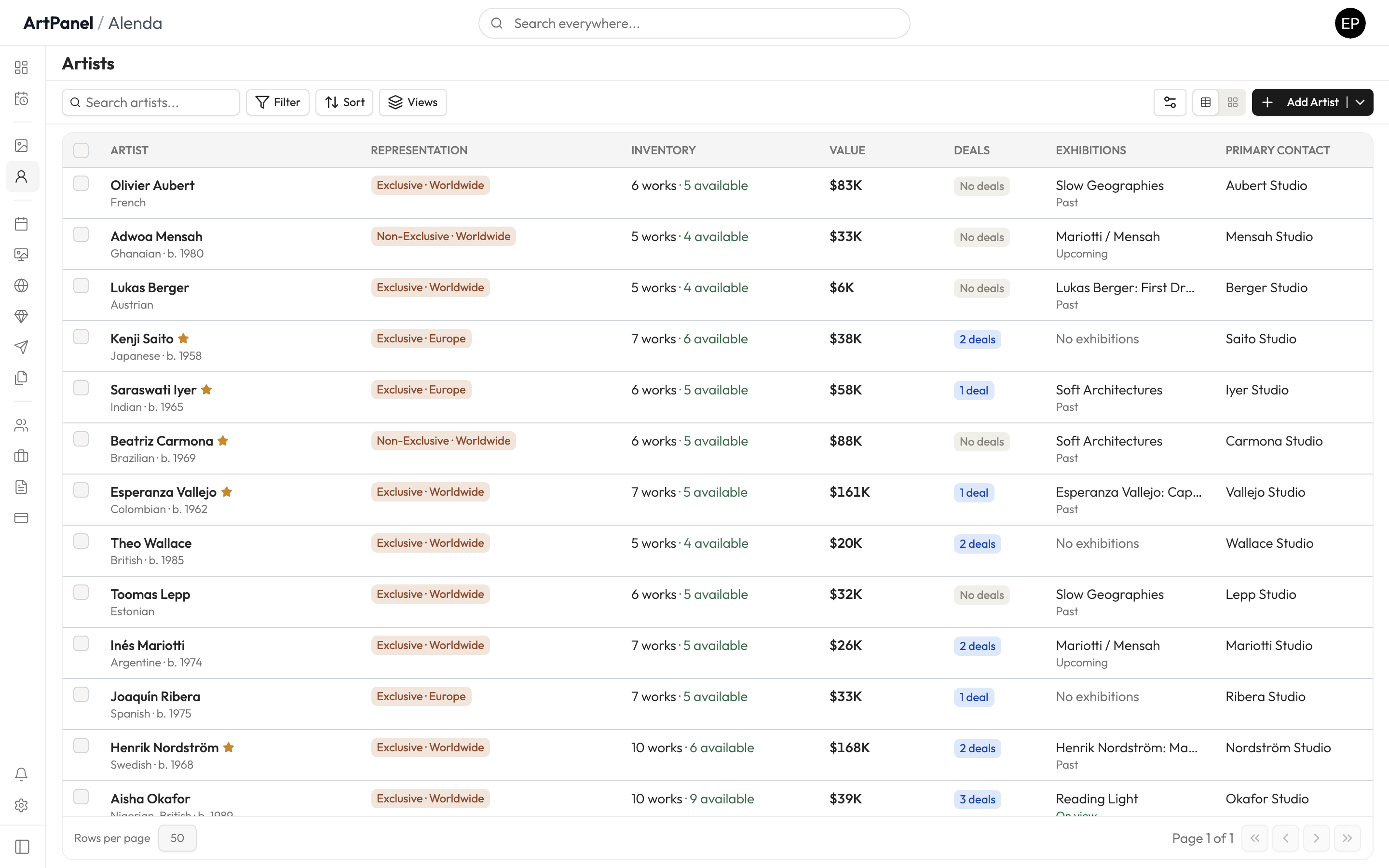
- Go to Artists in the sidebar.
- Click Add Artist.
- Enter their name and, optionally, a portrait and biography.
- Click Create.
Connect artworks#
When you add an artwork, you pick its artist — the work then appears on the artist’s profile automatically, along with its status and sales.
Artist portal access#
You can invite an artist to a limited portal where they see only their own works and sales — nothing else in your gallery. This is managed from the artist’s profile.
Did this answer your question?
Sorry about that — what were you looking for?
Still stuck? Email support@artpanel.app.
Thanks — that helps us keep these guides useful.
Related guides