Deals & Invoices
Create a deal
Track a sale from first interest to settlement.
A deal is a potential sale: one or more artworks, a buyer, a negotiation, and eventually an invoice and payment. Deals keep your pipeline visible so nothing falls through the cracks.
Create the deal#
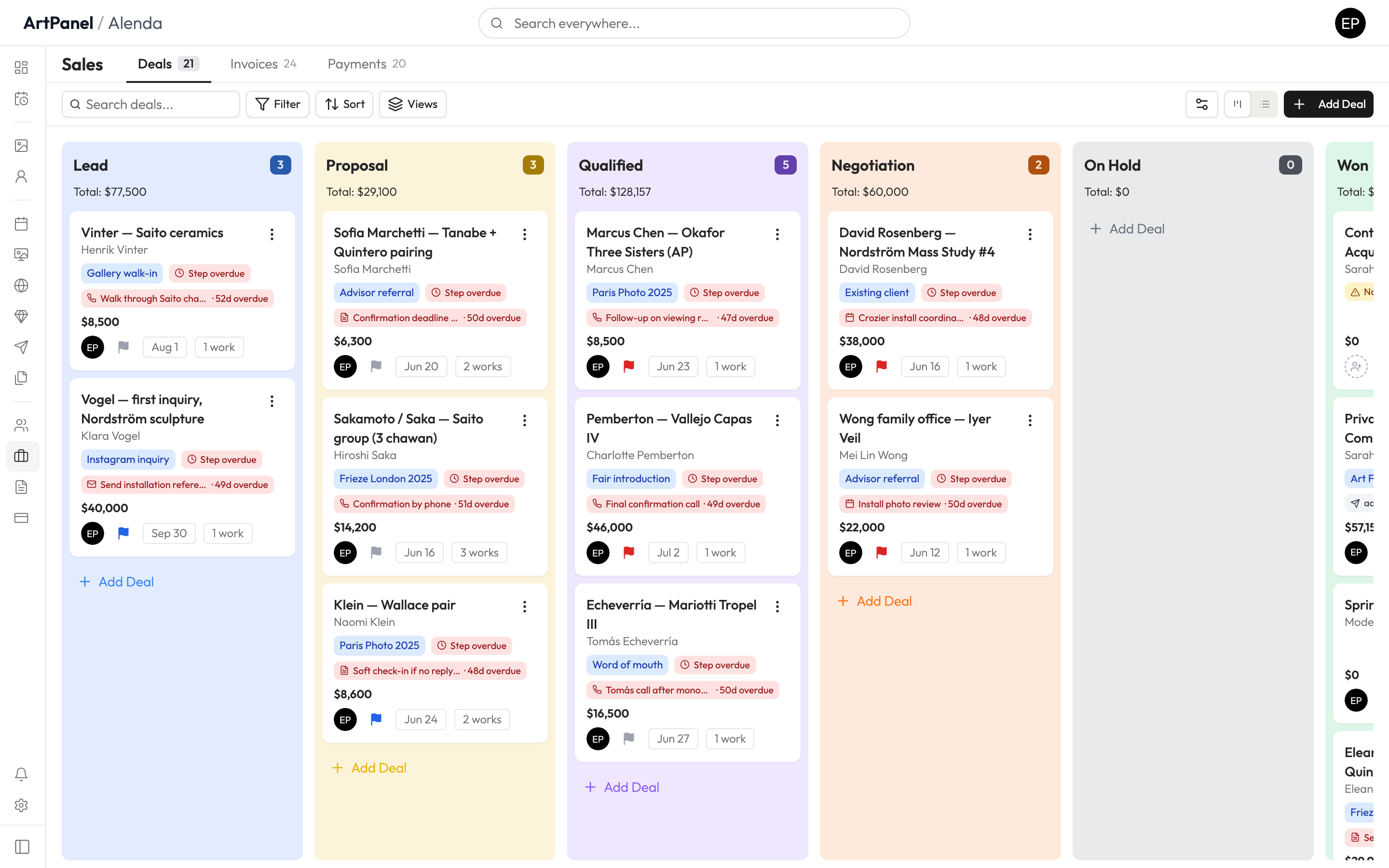
- Go to Deals in the sidebar.
- Click Add Deal.
- Choose the contact (the buyer) and add the artworks under discussion.
- Click Create.
Holds#
Adding a work to a deal can place a hold on it — the work shows as Reserved so a colleague doesn’t sell it twice. Holds can carry an expiry date and release automatically.
From deal to invoice#
When the sale is agreed, generate an invoice from the deal. Issued invoices are frozen — corrections happen by voiding and amending, so your records always stay auditable.
Did this answer your question?
Sorry about that — what were you looking for?
Still stuck? Email support@artpanel.app.
Thanks — that helps us keep these guides useful.
Related guides